

I’ve been using large language models to write code since ChatGPT first appeared in 2022. In the early days, it felt more like wrestling than collaborating. The models were impressive, but the suggestions were often outdated. Writing useful code meant spending almost as much time explaining context as solving the problem itself or checking if the suggested solution exists.
As the models improved, the friction didn’t disappear. It just changed shape. The challenge became managing tokens, deciding which files to reference, and constantly re-establishing state whenever tokens are almost out. The “intelligence” was there, but it added the responsibility of managing tokens. You had to manually select context, plan, validate, and correct errors every time.
When tools like Cursor first appeared, it felt like ChatGPT embedded inside an editor. It saved a few keystrokes and reduced context switching, but it didn’t immediately feel transformative. It was useful but still an incremental improvement.
That perception changed after using it across several real projects this year. Over time, Cursor stopped feeling like a chat tool and became something else entirely. The gains weren’t just coming from better prompts or smarter models. They stemmed from how the application itself had learned to work with LLMs.
It took a few real projects to see it clearly, but Cursor started removing friction in places I’d always assumed were just part of using LLMs.
Cursor does Automatic “context engineering” for you.
This is the biggest shift for me, and probably the easiest to miss if you haven’t felt the pain before, is context engineering.
With ChatGPT, you are the context engineer. You decide which files matter, copy snippets, summarise large modules, and hope you didn’t forget something important. When things go wrong, the model usually isn’t “wrong”. It’s responding to an incomplete or poorly structured context.
Cursor takes that responsibility.
Instead of asking you to supply context manually, it autonomously discovers, selects, and structures relevant code paths before the model ever reasons about your question.
In the screenshots below, I asked a deceptively simple question:
“I want to change the evaluation from online to offline. What files do I need to change?”
What happened next is the important part.
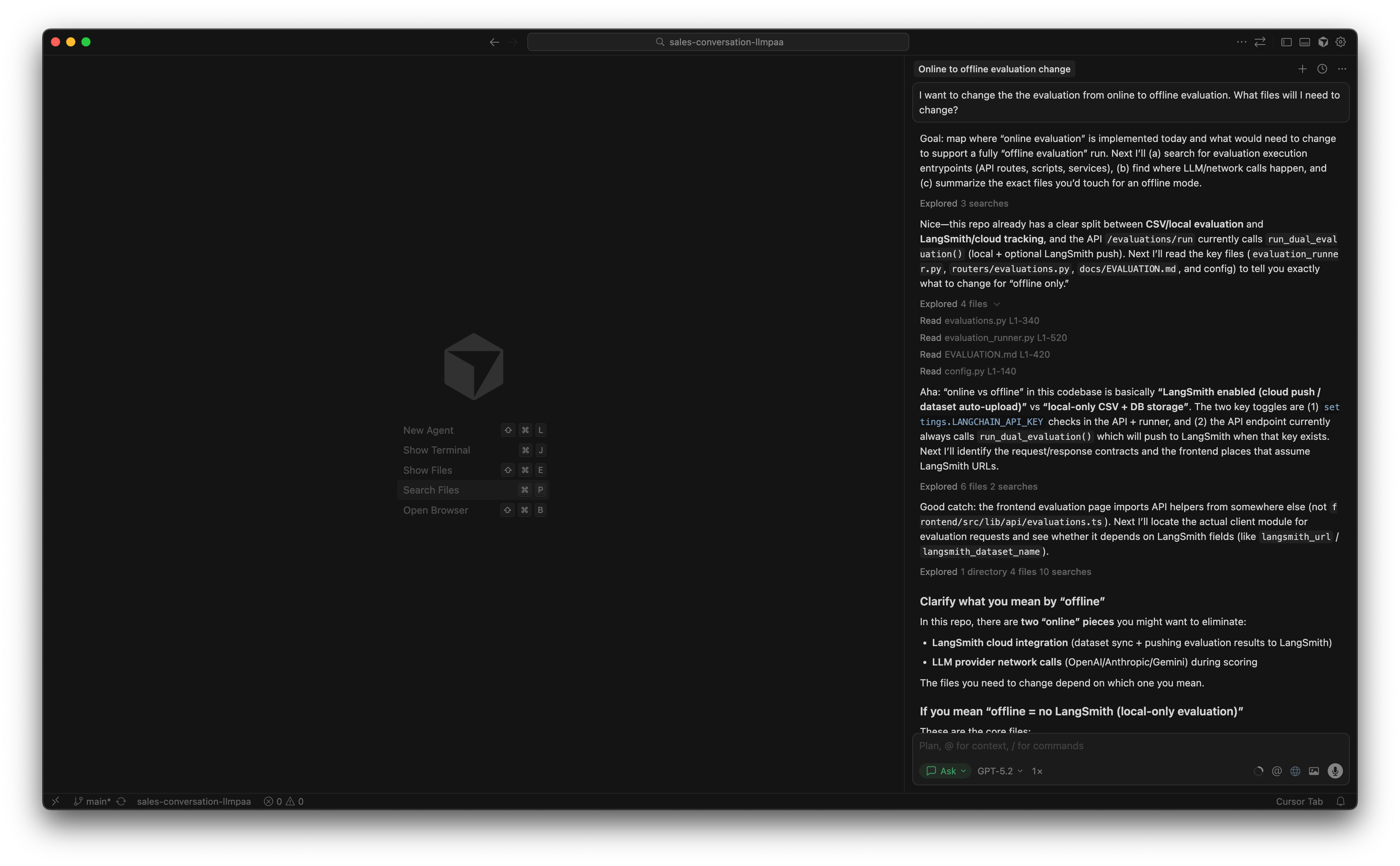
Cursor didn’t ask for files or offer generic advice. It inspected the repository itself, traced the relevant evaluation paths, inferred what “offline” meant from the code, and returned a structured answer spanning backend, frontend, configuration, and documentation.
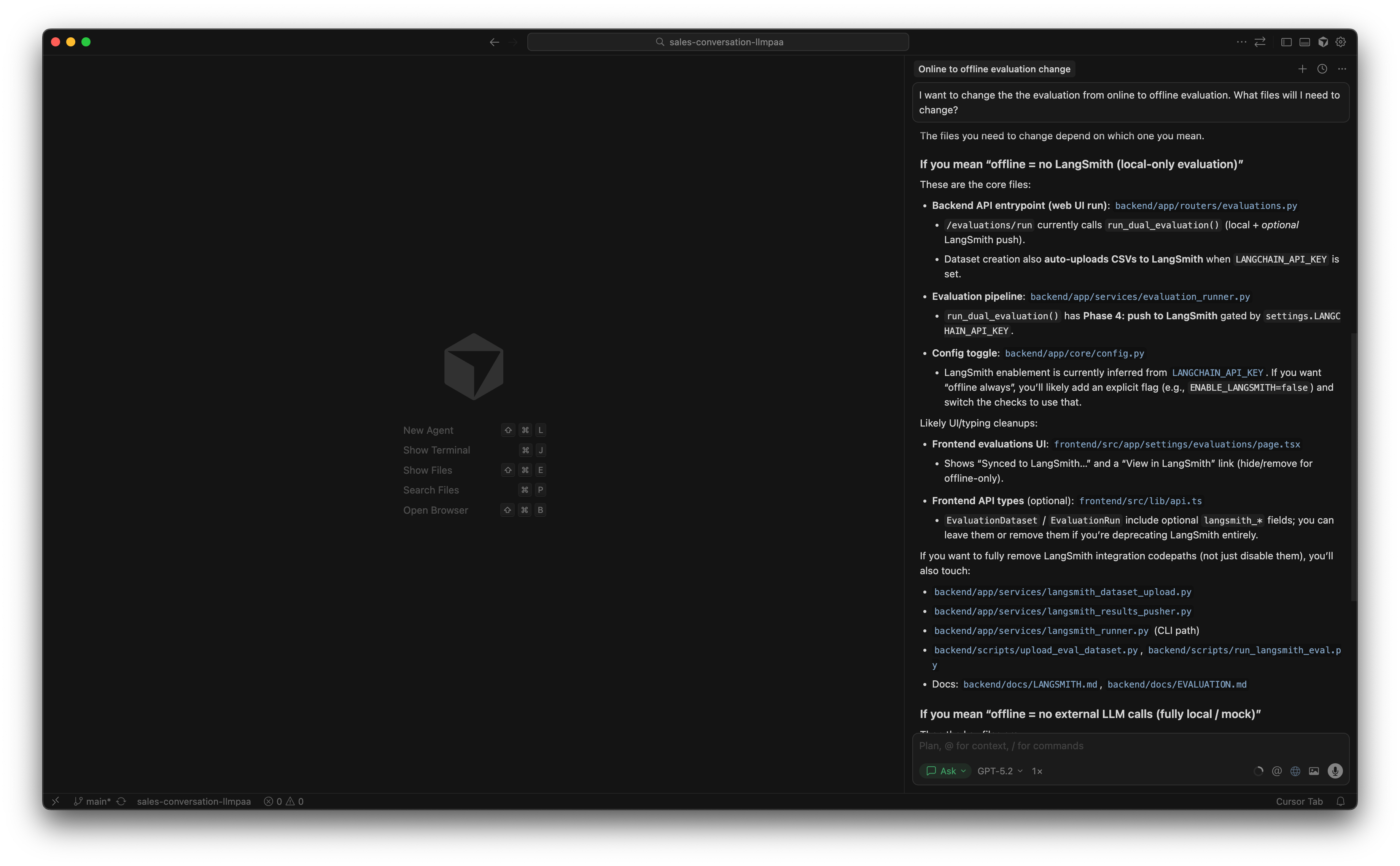
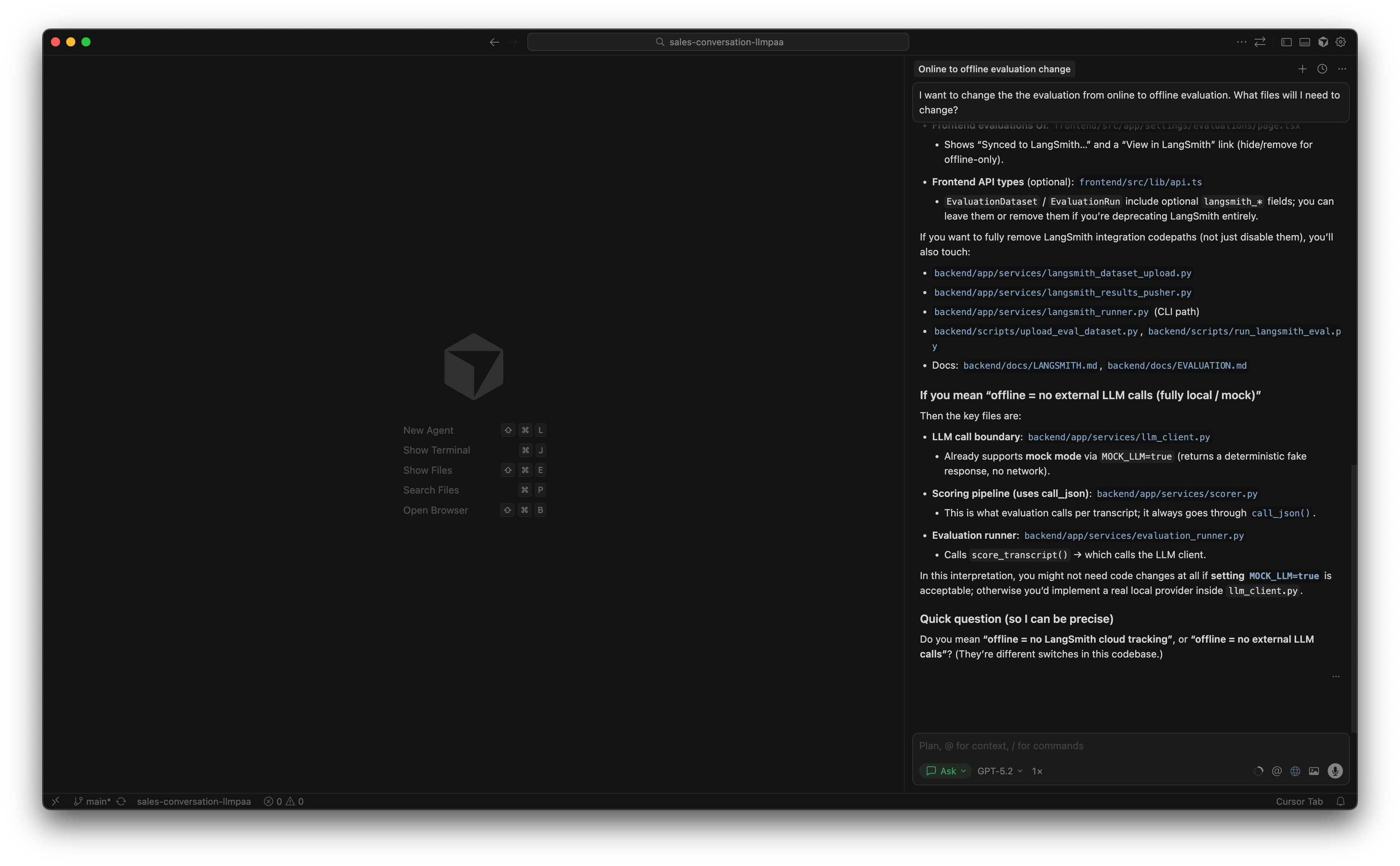
Cursor uses the LLM throughout the process, including during code exploration. However, the exploration itself is constrained and scaffolded by deterministic tooling such as repository indexing, symbol graphs, and file search. The LLM helps reason about the code, but it isn’t responsible for discovering or assembling the context on its own.
Cursor orchestrates multiple LLM calls as DAGs
Another subtle shift is how Cursor uses large language models. It doesn’t rely on a single prompt that tries to do everything at once. Instead, it orchestrates multiple LLM calls, each with a narrowly defined role, and connects them into an execution graph that grows in complexity only when needed (like DAG).
When I asked:
“I want to change the evaluation from online to offline. What files do I need to change?”
You can see this happening in the screenshots.
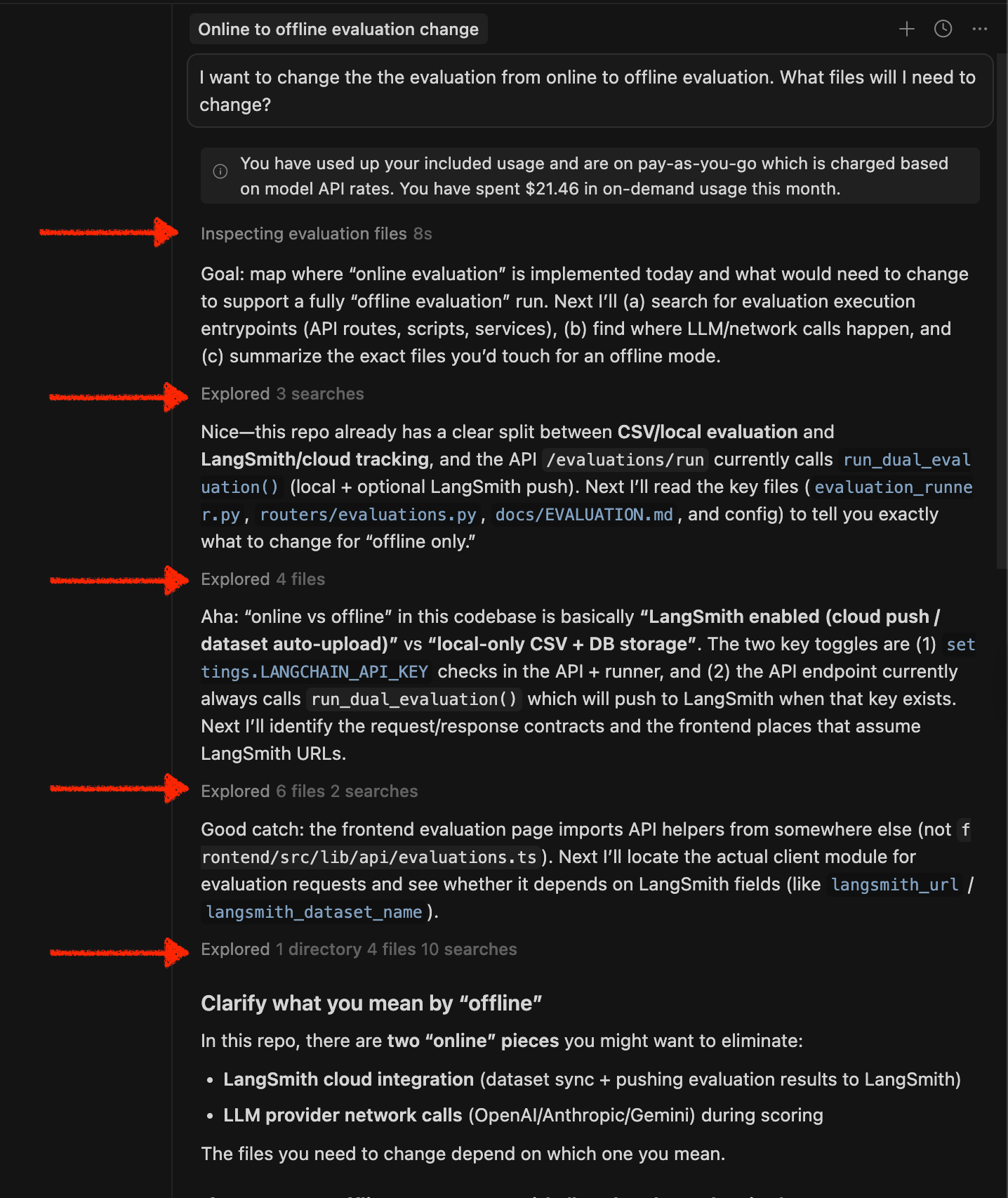
Cursor explicitly reports multiple tool invocations during the process, progressively building up understanding before producing the explanation. That behavior is difficult to reproduce with a single-pass prompt, because the system needs to decide what to look at next based on what it has already learned.
Cursor provides application-specific UX for the human-in-the-loop.
Most LLM workflows still feel like “ask a question → get an answer.” Cursor turns it into a tighter cycle by giving you interactions that match how developers actually work. Instead of pushing everything through a chat window, it gives you features like inline edit, context-aware suggestions, and mode-driven flows that map nicely to an RPI workflow: Research → Planning → Implementation.
And this isn’t just useful on greenfield projects. It’s arguably more valuable when you’re stepping into an unfamiliar codebase. Imagine you’re new to a project and trying to understand how authentication works end-to-end. Instead of manually grepping for middleware, auth routes, token handling, and frontend state, you can start with a prompt like:
“Show me how authentication works in this app. Start from the front-end until the back-end. Give a workflow diagram.”

What I like about the result is that it doesn’t stay abstract. Cursor turns your question into a walkthrough: it identifies the real entry points (e.g., the login page and the /api/auth/login route), traces how requests are forwarded to the backend, and explains how tokens are stored and reused (access token vs refresh token, cookie handling, and the fetch helper that attaches auth).
The output becomes a navigable map you can verify immediately by jumping into the referenced files. So you’re not just reading an answer. You can actively validate your mental model of the system by adding logs or tweaking the code.
4. Cursor has introduced agents... and this is where things get existential
In mid-2025, agent-based workflows began to appear in mainstream dev tools. When OpenAI Codex was reintroduced, it showcased a new interaction model: you assign a task, a fleet of agents executes it, and you’re presented with a pull request to review. Cursor quickly followed with its own take on agent mode.
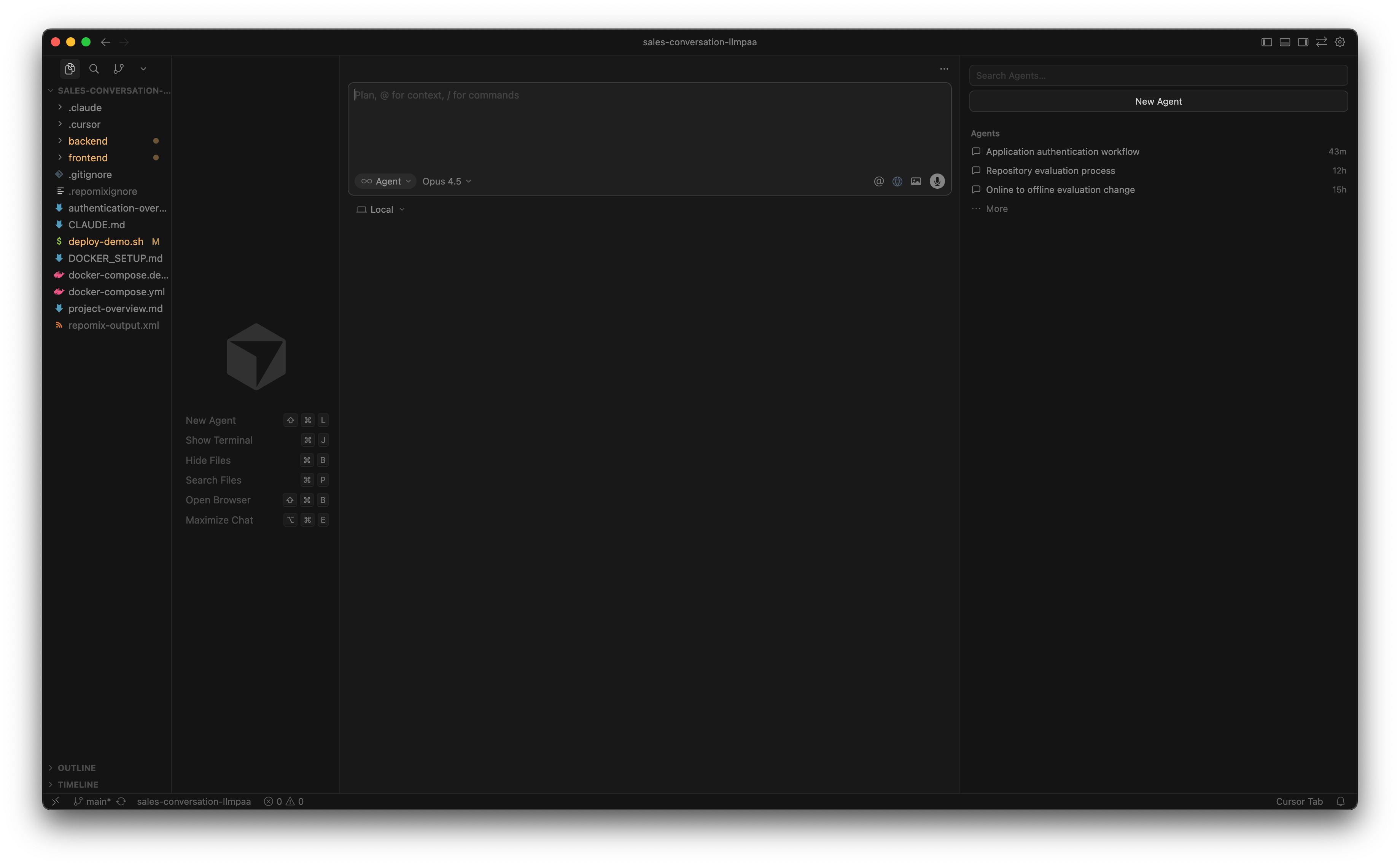
Up to this point, LLM tools, including Cursor were primarily collaborative. You stayed in the loop at every step: ask a question, review the answer, apply the change. Agents shift that boundary. Instead of collaborating within the task, you delegate the task and move into a reviewer role.
This looks like the “AGI endgame.” If a system can plan work, navigate a codebase, modify files, and submit a PR.
For me, it raises an uncomfortable question:
If AGI exists, why would we ask it to build software for accounting professionals instead of just doing the accounting itself?
This is where the idea of WaaS (Work as a Service) starts to feel more relevant than SaaS. The value shifts away from tools that enable humans to work toward systems that perform the work directly. Software stops being the product; execution does.
If that trend continues, it would shake up the outsourcing industry (BPO, software development, and managed services) as we know it.
I digress.
Agent mode today is still not reliable enough to fully cross that boundary. On real projects, agents can misunderstand intent, make locally “correct” changes that violate system-level assumptions, or drift once tasks span too many implicit constraints. The cost of review becomes really high because if the agent jumps into a rabbit hole, you know, you have to pick and choose the code. Unfortunately, it spent tokens already. And more tokens == more $$$.
This is true today. But will it be in the coming year?
Will agent workflows be genuinely reliable next year? Possibly. Will they redefine what “writing software” even means? Maybe. Either way, it’s one of the most interesting frontiers Cursor has opened up.
We will soon find out what happens in 2026.
See you then!